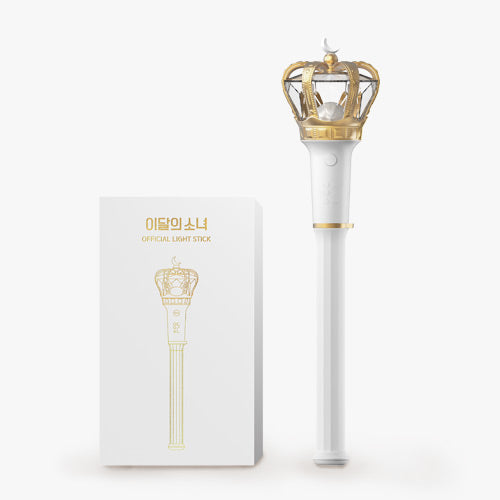
LOONA Official Light Stick — Essential Orbit Fandom Gear

$73
Show your ultimate fan devotion with this official K-Pop light stick, designed to elevate every concert and comeback stage experience. ✨
Featuring an exclusive LOONA collectible design, it’s the must-have piece for completing your fan collection and standing out in the crowd.
Sync the lights, feel the emotion, and celebrate every era with this iconic K-Pop concert essential 💫
1
🌎
Worldwide shipping
From Seoul · 2–5 business days processing
📦
Tracked delivery
K-Packet 7–15 d · DHL Express 3–6 d
100% authentic
Sourced directly in Korea
🔒
Secure payment
SSL · 3D Secure
📖  How to use
LOONA Official Light Stick: Quick Start Guide

Hello Orbit! Here’s how to get the best experience with your LOONA Official Light Stick:

1. Battery Installation
Open the battery compartment at the bottom of the handle by twisting it counterclockwise. Insert 3 AAA batteries, making sure the + and - ends are aligned as shown. Close the compartment securely.

2. Power On & Off
To turn on your light stick, press the power button once. Hold the power button for 2 seconds to turn it off.

3. Changing Light Modes
Press the power button quickly to cycle through the available light modes. Enjoy different glowing colors and flashes to match the mood!

4. Bluetooth Mode
To sync your light stick with a concert, press and hold the power button for 5 seconds until the Bluetooth indicator flashes. Follow the venue instructions or use the official app if available.

5. Care & Maintenance
Keep your light stick away from water and extreme heat. Clean the exterior with a soft, dry cloth. Remove the batteries when not in use for long periods.

6. Troubleshooting
If your light stick doesn’t turn on:
- Check the battery orientation.
- Replace with new batteries.
- Ensure battery contacts are clean and free of debris.

Thank you for being part of the LOONAverse! Enjoy your time with your new light stick and shine bright at every concert and special moment.

LOONA Official Light Stick